SQL Tutorial: Clean Messy Employee Names Using TRIM(), LOWER(), and INITCAP()
Oracle SQL Tutorial: Clean Messy Employee Names Using TRIM(), LOWER(), and INITCAP()
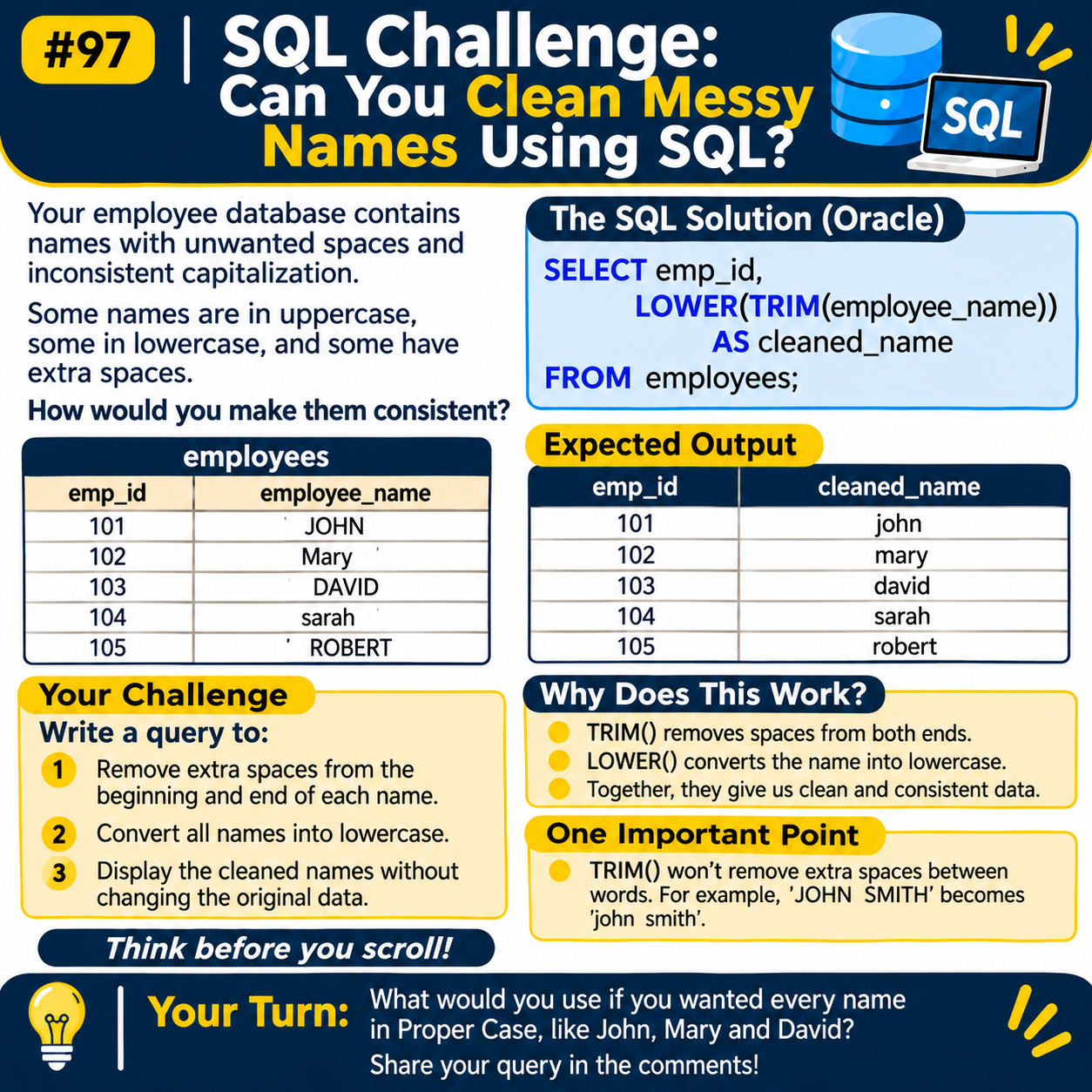
When working with employee data, you may come across names that are stored in different formats.
Some names might be in uppercase, others in lowercase, and a few may contain unwanted spaces.
For example, consider the following employee records:
| emp_id | employee_name |
|---|---|
| 101 | JOHN |
| 102 | Mary |
| 103 | DAVID |
| 104 | SARAH |
| 105 | Robert |
At first glance, this may not look like a serious issue. However, inconsistent text values can create difficulties when comparing records, preparing reports, or combining data from different sources.
In this tutorial, we'll use Oracle SQL string functions to clean and standardise employee names without changing the original table.
- What Do We Need to Do?
Our requirement is straightforward:
- Remove unwanted spaces from the beginning and end of employee names.
- Convert all names into lowercase.
- Display the cleaned names in the query result.
- Keep the original employee records unchanged.
Oracle SQL provides two useful functions for this task: "TRIM()" and "LOWER()".
- Oracle SQL Query to Clean Employee Names
Here is the solution:
SELECT emp_id, LOWER(TRIM(employee_name)) AS cleaned_name FROM employees;
Expected Output
| emp_id | cleaned_name |
|---|---|
| 101 | john |
| 102 | mary |
| 103 | david |
| 104 | sarah |
| 105 | robert |
All employee names are now displayed in lowercase, and the unwanted spaces at the beginning and end have been removed.
Notice that we haven't used an UPDATE statement. The query simply displays the cleaned values.
- Understanding the TRIM() Function
The "TRIM()" function removes spaces from the beginning and end of a character string.
Let's try a simple example:
SELECT TRIM(' JOHN ') AS employee_name FROM dual;
Output:
JOHN
In this example, Oracle removes the spaces before and after "JOHN".
This is particularly useful when text values come from manual data entry or external files.
- Understanding the LOWER() Function
The "LOWER()" function converts alphabetic characters into lowercase.
For example:
SELECT LOWER('JOHN') AS employee_name FROM dual;
Output:
john
You can use this function when you want text values to follow a consistent lowercase format.
- Why Combine TRIM() and LOWER()?
The actual requirement involves two operations, so we can combine both functions.
LOWER(TRIM(employee_name))
Oracle evaluates the functions from the inside out.
The process looks like this:
' JOHN ' | v TRIM() | v 'JOHN' | v LOWER() | v 'john'
First, "TRIM()" removes the unwanted spaces. Then, "LOWER()" converts the resulting value into lowercase.
This is a simple example of using nested SQL functions to solve a practical data-cleaning problem.
- Does TRIM() Remove Spaces Between Words?
No. This is an important distinction.
Consider the following query:
SELECT TRIM(' JOHN SMITH ') AS employee_name FROM dual;
Output:
JOHN SMITH
The spaces at the beginning and end are removed, but the extra spaces between the two names remain.
If you want to convert names into title case, Oracle provides another useful function called "INITCAP()".
For example:
SELECT INITCAP(TRIM(' john smith ')) AS formatted_name FROM dual;
Output:
John Smith
The "INITCAP()" function converts the first letter of each word into uppercase and the remaining letters into lowercase.
- A Quick Comparison of Oracle SQL String Functions
Function| Purpose| Example result "TRIM()"| Removes leading and trailing spaces| "JOHN" "LOWER()"| Converts text to lowercase| "john" "UPPER()"| Converts text to uppercase| "JOHN" "INITCAP()"| Capitalises the first letter of each word| "John Smith"
These functions are useful when preparing text values for reporting, data analysis, and database applications.
- Test Your Oracle SQL Knowledge
Let's try a small question.
You have the following employee name:
john smith
You need the output to look like this:
John Smith
Which Oracle SQL function would you use?
A. "UPPER()"
B. "LOWER()"
C. "INITCAP()"
D. "TRIM()"
Think about the answer before checking the Oracle SQL documentation.
Share your answer in the comments!
Conclusion
Data cleaning is not always about complicated SQL queries. Sometimes, a combination of simple string functions is enough to solve a real problem.
In this example, we used "TRIM()" to remove unwanted spaces and "LOWER()" to standardise employee names.
We also explored "INITCAP()" for formatting names in title case.
If you work with Oracle databases, keep these functions handy. You will find them useful when handling employee records, customer information, imported datasets, and other text-based data.
Comments
Join the discussionNo comments yet. Be the first to comment.